
If your back aches by 3 PM, your chair is probably part of the problem. Here is how to pick an ergonomic office chair that actually supports you through a full workday.
Long hours at a desk are the new normal for developers, designers, marketers and business owners. But most chairs were never built for 8 to 10 hours of sitting. The result is a tight lower back, stiff shoulders and the afternoon slump we blame on “being tired”.
The good news: the right ergonomic office chair can make sitting far more comfortable and support healthier posture. In this guide you will learn what to look for, which chair types suit back pain, and how to set your chair up properly.
⚡ Quick takeaways
- Lumbar support that matches your lower-back curve matters more than any fancy feature.
- Seat height and depth must be adjustable so your feet stay flat and your knees stay relaxed.
- Breathable mesh suits Bangladesh’s heat and humidity better than leather.
- The best chair still works best with regular movement breaks.
📑 In this guide
- Why the wrong chair hurts your back
- 7 features of a back-friendly chair
- Best chair types compared
- How to set up your chair
- Common buying mistakes
- FAQs
Why the wrong chair hurts your back
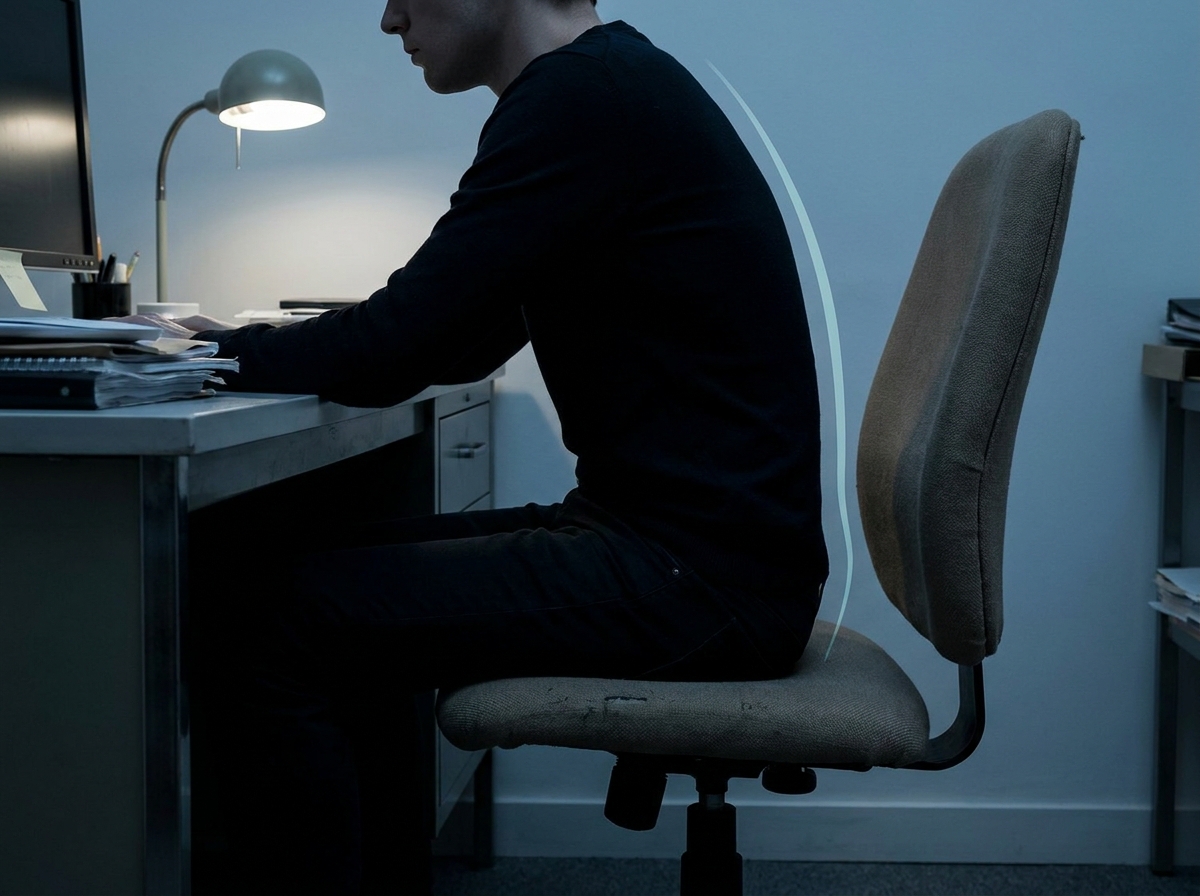
When a chair has no proper support, your pelvis tilts backward and your lower spine flattens out of its natural “S” curve. Your muscles then work overtime just to hold you upright. Over hours, that shows up as stiffness, fatigue and discomfort in the lower back, neck and shoulders.
Typical culprits include a fixed seat height, a flat backrest with no lumbar curve, seats that are too deep or too short for your legs, and armrests that push your shoulders up.
7 features of a back-friendly ergonomic chair
Do not shop by price tag or looks alone. Check these seven points before you buy:
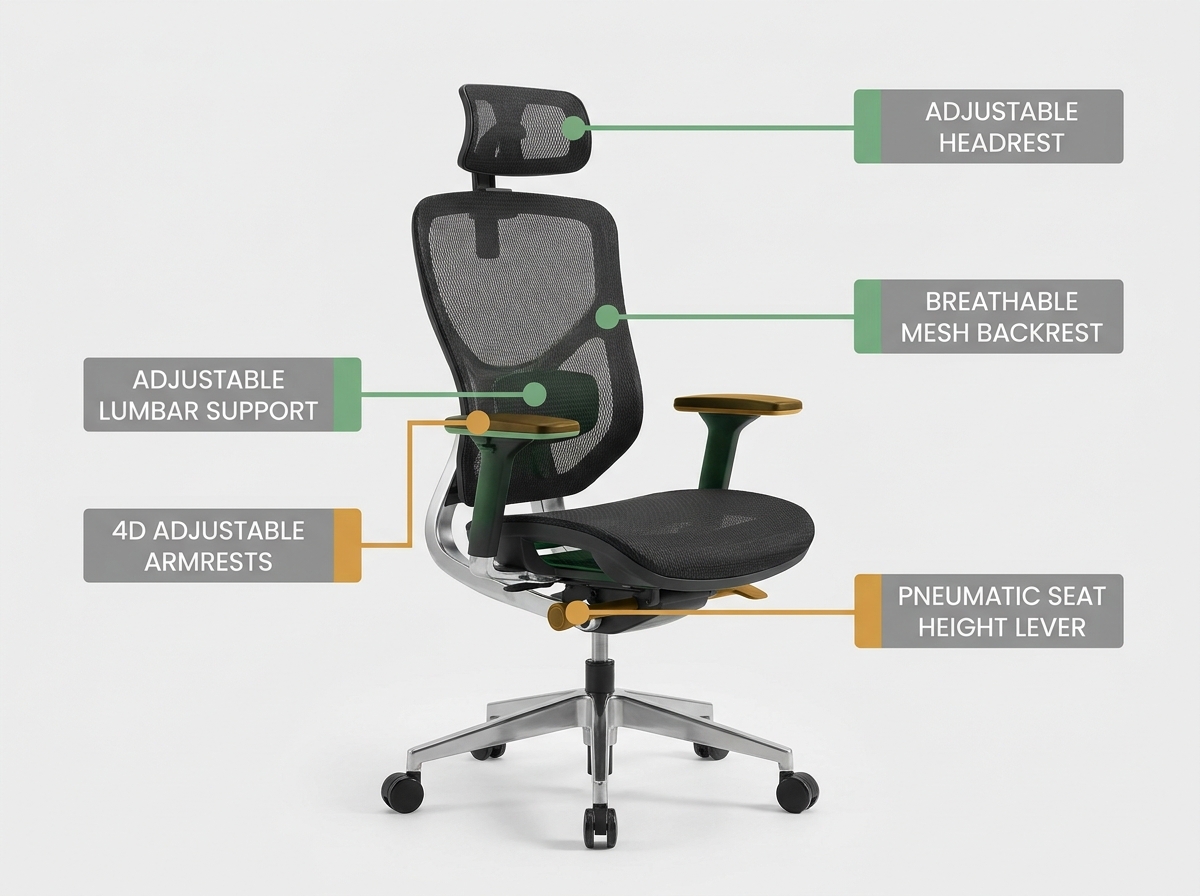
Adjustable lumbar support
Fills the curve of your lower back. Height and depth adjustment is a big plus.
Seat height
Feet flat on the floor, knees at roughly 90°. A gas lift makes this easy.
Seat depth
Leave about two to three fingers of space between the seat edge and your knees.
Recline and tilt
A smooth, lockable recline lets you change position through the day.
Adjustable armrests
Elbows rest lightly so shoulders stay relaxed, not hunched.
Breathable mesh
Keeps you cooler in warm weather. Look for firm, high-density mesh that does not sag.
Headrest (optional)
Helpful for reclined breaks and long calls, especially for neck comfort.
See ergonomic chairs built for long workdays
Browse the CircleBox Furniture ergonomic chair range with lumbar support, adjustable armrests and breathable designs.
Shop Ergonomic Chairs →Best chair types for back pain, compared
Not every chair type suits every body or budget. Here is a simple comparison to guide your shortlist:
| Chair type | Best for | Lumbar support | Notes |
|---|---|---|---|
| Mesh ergonomic chair Top pick | Daily 6 to 10 hour desk work | Adjustable, usually built in | Breathable and ideal for humid weather |
| Executive high-back | Managers, long meetings | Varies by model | Plush look, can run warm; check the lumbar design |
| Gaming-style chair | Gamers, bolstered-seat lovers | Often a loose cushion | Check that support is adjustable, not just a pillow |
| Basic swivel chair | Short, occasional use | Minimal | Budget-friendly but not ideal for full workdays |
For most people dealing with desk-related back discomfort, a mesh ergonomic chair with adjustable lumbar support gives the best balance of comfort, airflow and value. For more local price and type ideas, see this office chair guide for Bangladesh by Hatil.
How to set up your chair for a healthier back
Even the best chair underperforms if it is set up wrong. Spend two minutes on this routine:
- Set the seat height. Feet flat on the floor, thighs roughly parallel to the ground.
- Slide your hips back. Sit all the way back so your lower back touches the backrest.
- Match the lumbar support. Raise or lower it so it fills the small curve above your belt line.
- Adjust the armrests. Elbows near 90° with shoulders relaxed, not shrugged.
- Position the screen. Top of the monitor at or slightly below eye level, about an arm’s length away.
- Move often. Stand, stretch or walk for a minute or two every 30 to 45 minutes.
Common buying mistakes to avoid
❌ Avoid
- Choosing only on looks or brand name
- Fixed lumbar “pillows” you cannot adjust
- Skipping seat depth and height range
- Buying without checking warranty and after-sales support
✅ Do this instead
- Check your height and sitting hours first
- Pick adjustable lumbar and armrests
- Prefer breathable mesh for humid weather
- Buy from a seller with a clear warranty and delivery
Want to read more before you buy?
These independent resources cover ergonomic seating in more depth:
- Choosing the best ergonomic chair for a home office (Back2): a clear overview of key ergonomic features.
- Orangebox Being chair range: an example of a premium, highly adjustable task chair.
- Best office chair in Bangladesh guide (Hatil): local context on chair types and pricing.
Frequently asked questions
What is the best office chair for lower back pain?
A mesh ergonomic chair with adjustable lumbar support, adjustable seat height and depth, and a smooth recline is usually the best fit for lower back comfort during long workdays.
Can an ergonomic chair cure back pain?
No. A good chair supports a healthier posture and can reduce strain from poor seating, but it does not treat medical conditions. Persistent pain should be checked by a doctor or physiotherapist.
Is mesh or leather better for Bangladesh’s weather?
Mesh is usually more comfortable in hot, humid conditions because it lets air circulate. Leather and faux leather can feel warm and sticky over long hours.
How long should I sit before taking a break?
Try to stand up, stretch or walk briefly every 30 to 45 minutes. Changing position often matters as much as the chair itself.
How do I choose the right chair size?
Check seat depth and height range against your own height and leg length. You should be able to sit with feet flat, back supported and two to three fingers of space behind your knees.
Ready to sit better?
Explore ergonomic chairs from CircleBox Furniture and give your back the support it deserves.
Explore CircleBox Chairs →This article is for general information only and is not medical advice. Consult a qualified health professional for persistent or severe pain.